How to register a newborn.
The feature is used to capture information about a newborn into the EMR.
To register a newborn, follow these steps:
1). Log into the Helium Health application.
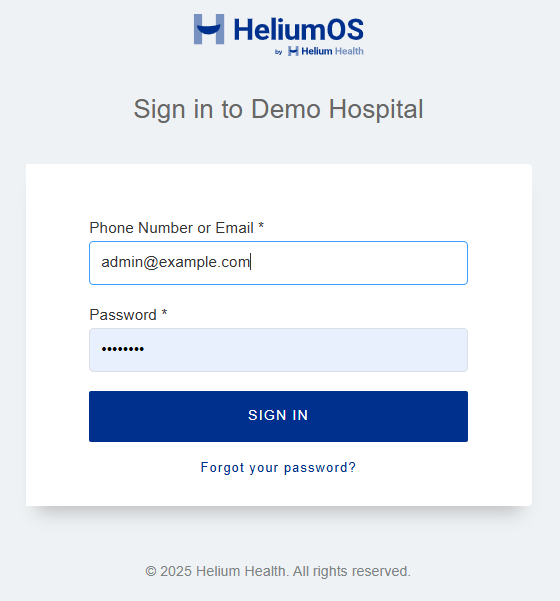
2). Select ‘Registration’ from the left navigation menu.
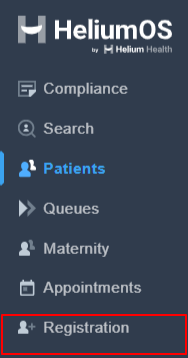
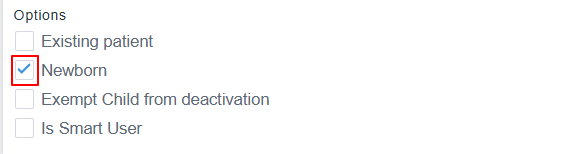
3). Click on the box "Newborn" and fill in the extra fields that will pop up.
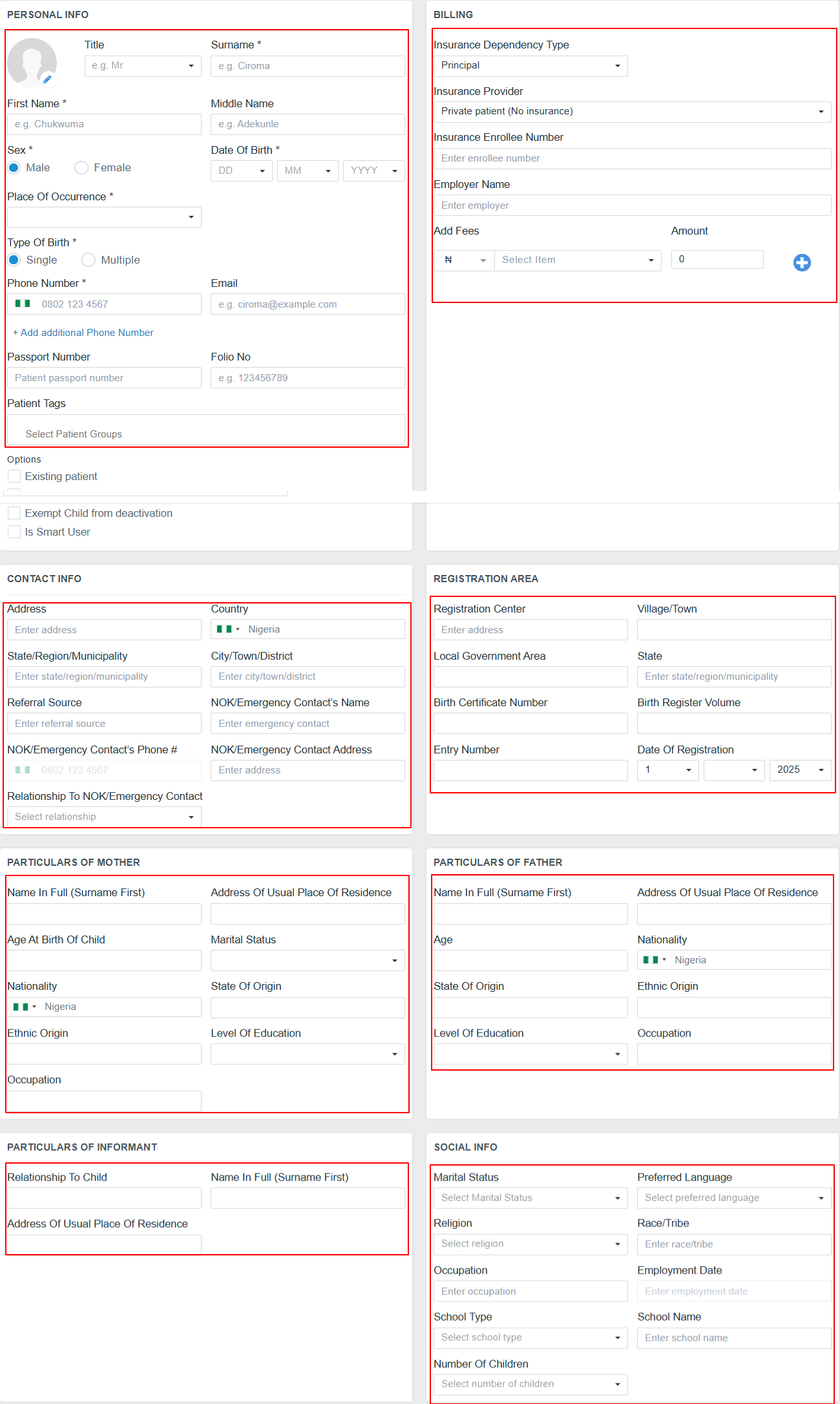
4). Then fill the “Personal Info”, “Contact Info”, “Social Info”, “Billing Info”, "Registration Area", "Particulars of Parents", "Particulars of Informant" as applicable to the newborn.
5). Uncheck “Do not Send Welcome SMS/Email To Patient” to send a Welcome message to the parent of the newly registered newborn.

6). Click ‘Register Only’ to register the newborn or ‘Authenticate Registration’ to register and forward the patient file to the next point of care.

Need further assistance? Raise a request with Support, and we'll be glad to help!
Top of Form
Was this article helpful?
That’s Great!
Thank you for your feedback
Sorry! We couldn't be helpful
Thank you for your feedback
Feedback sent
We appreciate your effort and will try to fix the article